Gallipoli Controls Guide
Movement, combat, and squad binds for PC and console — tuned for one-shot-one-kill fights.
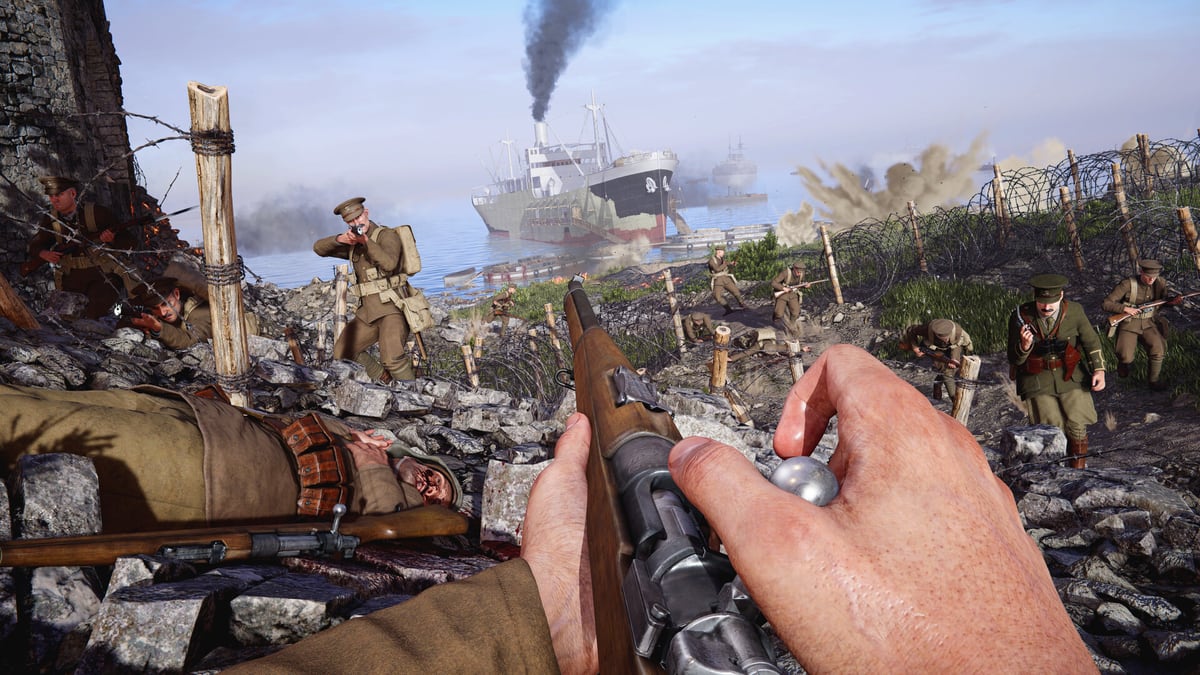
Gallipoli keeps the grounded WW1 Game Series feel from Verdun, Tannenberg, and Isonzo, then adds movement and squad tools you should rebind on day one. Exact labels can shift slightly between final console SKUs and PC storefront builds, so treat the tables below as series-consistent defaults plus published Gallipoli preview notes, then confirm in your in-game options after the August 20, 2026 launch. Pair this page with Getting Started for role advice and Crossplay if your squad mixes keyboard and controllers.
Movement changes you must feel
BlackMill’s published previews highlight several control-relevant changes:
- Sprint while crouched or prone — stay low in shallow cover without giving up all speed.
- Less binary stamina — you can still move at a reduced sprint when empty; a full bar gives a short faster burst.
- Bayonet charge — with a bayonet-fitted rifle or melee ready, commit to a loud speed burst and melee pressure.
- Ping system — mark world locations for squad steering across platforms.
- Downed flow — teammates can revive; if you are stranded, you can give up and respawn (PC hands-on coverage commonly cites F for giving up / interact-style confirmations in the series).
If you only rebind four things before your first Expedition, make them: stance, sprint, ping, and give up / interact.
PC defaults (series-style)
These match common WW1 Game Series PC layouts and Gallipoli preview references. Always verify locally.
| Action | Typical PC bind |
|---|---|
| Move | WASD |
| Look | Mouse |
| Sprint | Shift |
| Crouch | Ctrl or C (check toggle vs hold in options) |
| Prone | Z or V (varies by title options) |
| Jump / step up | Space |
| Fire / aim | Mouse L / Mouse R |
| Reload | R |
| Weapon / item slots | 1–5 or scroll |
| Interact / use / give up when downed | F |
| Ping / mark | Middle mouse or a rebound side button |
| Bayonet charge / melee commit | Melee key after bayonet equip (often dedicated melee) |
| Deploy / build place (HMG bipod-style deploy) | Build/place key from the series radial or dedicated deploy |
| Push to talk | Default voice bind if enabled |
PC tips
- Put ping on a mouse side button. You will spam it less awkwardly than a keyboard stretch mid-aim.
- Decide early whether crouch is toggle or hold — beach scrapes punish hesitation.
- Lower raw sensitivity until bolt-action tracking feels stable. One-shot-one-kill lobbies reward micro-adjustments over 360 flicks.
- If you play Officer, practice the call-in menu in an empty bot lobby so you are not hunting UI during a plant. See Squad Call-Ins.
Console defaults (PS5 / Xbox Series)
Console players coming from Isonzo will feel at home: left stick move, right stick look, triggers for aim/fire, face buttons for stance and interact. Gallipoli’s stance sprint means you should rehearse crouch + sprint and prone + sprint as deliberate chords, not accidents.
| Action | Typical DualSense / Xbox pattern |
|---|---|
| Move / look | Left stick / Right stick |
| Sprint | Left stick click (L3) |
| Aim / fire | L2/LT / R2/RT |
| Crouch / prone cycle | Circle / B or a stance modifier (confirm in options) |
| Reload / interact | Square / X |
| Melee / bayonet | Melee face/bumper bind |
| Ping | D-pad or bumper combo — rebind if it fights your lean |
| Scoreboard / map | View / Touchpad-style binds per platform |
| Deploy / place | Contextual hold interact or radial |
Console tips
- Enable any available aim assist options only as far as you need for tracking; Gallipoli still punishes panic hipfire into Maxims.
- Use vibration cues as suppression warnings — when the controller kicks, consider breaking line of sight before finishing a long reload.
- On beach maps, practice prone sprint in a custom/bot match until you can relocate without standing into Sniper lanes (Beach Landings).
- If you party with PC friends, agree on ping language: one mark means “look here,” not “I am bored.”
Combat controls that decide gunfights
Deployment matters for machine guns. Previews stress that full-auto Heavy Machine Gunner power requires physically deploying the weapon through a build/place flow. That means extra inputs under pressure. Find cover, deploy, then ask your Ammo Bearer to stay alive behind you.
Suppression changes reload timing. If you are being hammered, do not start a heroic reload in the open — crouch sprint to a scrape first.
Bayonet charge is a commit key. Treat it like a special: great for finishing a suppressed defender in a trench, terrible as your plan for crossing Anzac sand.
Revive inputs win tickets. Any class can revive; Stretcher Bearers excel. Learn the hold/interact timing so you do not cancel under fire. Attackers especially should read ticket economy in Expedition Mode.
Accessibility and quality-of-life
Before launch night:
- Set field of view (PC) high enough to see flanking ditches without fish-eye sickness.
- Raise UI scale if you cannot read call-in prompts mid-fight.
- Map push-to-talk if you hate open mic in crossplay lobbies.
- Confirm invert look, deadzones, and trigger thresholds on console.
- Turn gore/effects to your comfort — previews mention toggleable gore; visual clarity beats spectacle if explosions hide enemies.
Training routine (20 minutes)
- Stance lap — crouch sprint, prone sprint, stand shot, repeat between two cover pieces.
- Ping lap — mark a nest, a revive scrape, and an HQ plant spot without speaking.
- Deploy lap — as Heavy Machine Gunner, deploy, fire a burst, pack up, relocate once.
- Downed lap — get downed on purpose in bots, ping for medic, then practice give-up when nobody comes.
- Bayonet lap — one clean charge into a bot in a trench; reset if you charge across open ground.
Common control mistakes
- Leaving ping on an unreachable key, then blaming teammates for ignoring “obvious” nests.
- Holding sprint upright on ridgelines because crouch sprint feels unfamiliar.
- Forgetting deploy requirements and wondering why the HMG “feels weak.”
- Panic giving up while a Stretcher Bearer is one meter away — watch pings and footsteps.
- Fighting your keybinds during Cape Helles instead of learning them in bots first.
Related pages
Controls are useless without context. Learn roles in Getting Started, spend Officer support correctly in Squad Call-Ins, and survive shoreline geometry in Beach Landings. When your DualSense friend joins your Steam party, finish setup with Crossplay.
Master the boring binds. Gallipoli’s one-shot world rewards the soldier who can go prone, ping a Maxim, and move again before the sand remembers their name.
Frequently Asked Questions
Quick answers to the most common questions.
Can I sprint while crouched or prone?
Yes. Gallipoli adds crouch and prone sprinting so you can relocate in shallow cover more quickly than older series movement allowed.
How does bayonet charge work?
With a bayonet-equipped rifle or melee ready, you can commit to a burst of speed and melee pressure. Use it to finish close fights, not to cross open beaches.
What is the PC key to give up while downed?
Hands-on coverage commonly points to F for giving up / interact-style confirms. Verify in your final options menu after launch.
Why can’t my machine gun fire full-auto?
Heavy automatic fire generally requires deploying the weapon through the place/build flow. Deploy first, then hold the lane.
Should console and PC players use different sensitivities?
Yes. Start conservative on both, then raise slowly. Mixed crossplay lobbies punish over-sens more than under-sens.