Gallipoli Crossplay Setup
Party across PC storefronts and consoles — and keep 25v25 Expeditions filled fairly.
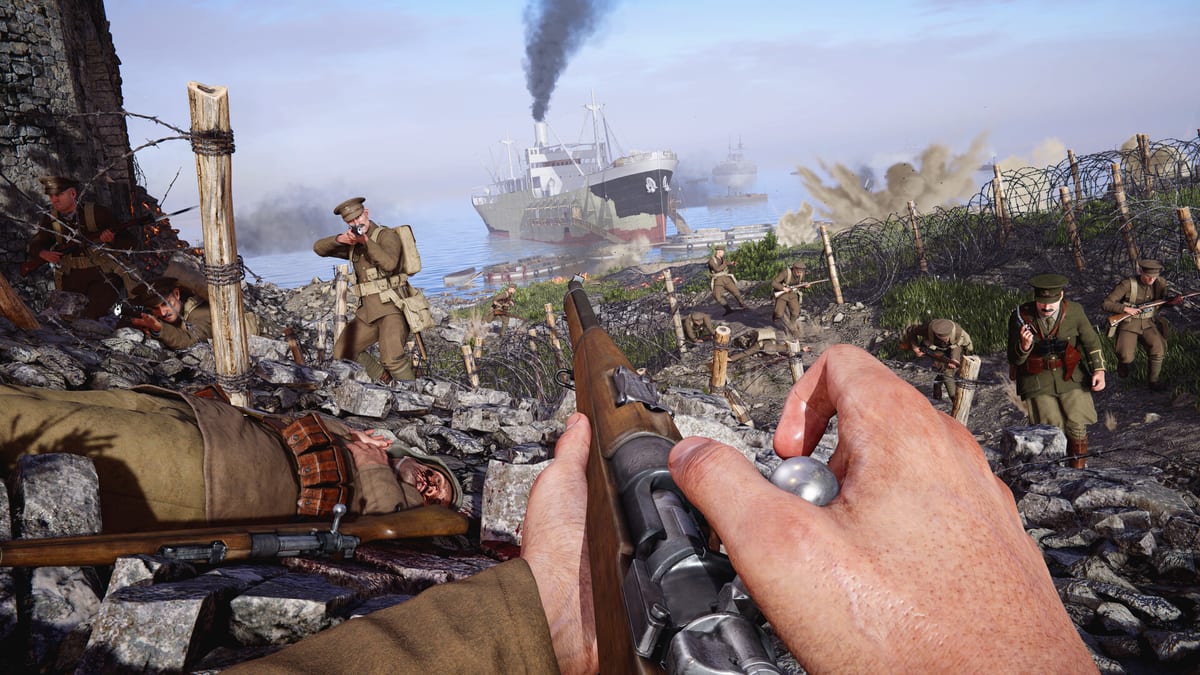
Gallipoli launches August 20, 2026 with full crossplay across Steam, Epic Games Store, Microsoft Store, PlayStation 5, and Xbox Series X|S. That is a defining upgrade for the WW1 Game Series audience: your Isonzo friends are no longer stranded on one ecosystem. This guide explains how to think about parties, matchmaking, bots, and etiquette in mixed-input 25v25 Expeditions. For mechanical onboarding, use Getting Started; for binds that make crossplay communication work, use Controls.
What “full crossplay” means here
BlackMill and press coverage describe day-one cross-platform multiplayer so PC and console players populate the same objective battles. In practical fan terms:
- A PS5 squad can land in the same Expedition as Steam players.
- Xbox Series players are not siloed away from Epic or Microsoft Store PC.
- Fifty-player fights stay healthier because the matchmaking pool is shared.
Always confirm final party invite flows in each storefront’s overlay after launch — console network permissions and PC store overlays change more often than gun stats. This wiki will revise steps if BlackMill publishes different party UI later; we will not invent fake menu paths.
Before you invite anyone
- Same expectations — Gallipoli is one-shot-one-kill. Tell console friends this is not a forgiving arcade TTK.
- Mic plan — platform voice, Discord, or ping-only. Mixed lobbies fail when half the squad assumes everyone hears PlayStation party chat.
- Ping agreement — one meaningful mark beats five panic marks. Officers especially should read Squad Call-Ins.
- Role coverage — force a Stretcher Bearer and Ammo Bearer into the five-stack before a fourth Sniper.
- Patch time sync — launch week will be messy; be online in the same update before blaming crossplay.
PC storefront notes (Steam / Epic / Microsoft Store)
Steam app ID 3065940 is the easy wishlist target. Epic and Microsoft Store listings matter for Game Pass-style discovery or friends who refuse Steam. Crossplay means storefront rivalry should not split your squad — but overlays still differ:
- Keep overlays from blocking the ping key.
- Disable conflicting overlay hotkeys that steal F / interact if you use give-up-while-downed often.
- If you stream or record, check that overlays are not eating controller focus when a DualSense user hosts.
Price context from press sits around $29.99 with a launch discount — verify live store pages for your region instead of trusting screenshots.
Console notes (PS5 / Xbox Series)
Console players should:
- Confirm console network permissions allow cross-platform multiplayer / communication.
- Set a privacy level that still allows invites from PC friends where the platform requires it.
- Rehearse stance sprint chords from Controls so beach fights are not your first time crouched-sprinting under fire.
- Expect some aim-assist / FOV differences versus mouse players — play angles and suppression, not ego peeks.
Parties, matchmaking, and bots
Expedition needs twenty-five bodies per side. Full crossplay helps, and bots fill empty slots in public and custom matches so lobbies remain playable during off-peak hours. Smart squad habits:
- Stack humans in the same squad type so call-ins and class seats stay coherent.
- Do not flame bot teammates for missing a plant — ping and cover the job yourself.
- Use bot-filled customs as practice for Beach Landings before you judge the “real” player base.
- If your party of five queues while another friend solos, you may land unevenly; queue together when the plant timing matters.
Fair play in mixed-input lobbies
Unofficial fan culture dies when PC players mock controllers or console players assume every mouse user is cheating. Better norms:
- Call software, not hardware — report clear cheats through official tools; do not harass someone for winning a bolt-action duel.
- Share information — ping nests; do not hide callouts in a platform-only party chat your Steam medic cannot hear.
- Host clarity — decide who hosts the party before you argue about map votes.
- Accessibility — some players use controllers on PC; that is still cross-input, treat them as teammates.
Tactical adjustments for crossplay Expeditions
Mouse players often win raw flick moments; controller players often win sticky tracking in closer trenches if assist is present. Compensate as a squad:
- Put strong mouse aimers on Sniper or flexible Light Machine Gunner seats when sightlines are long.
- Put calm controller players on HMG deploy or medic seats where steadiness and positioning beat flicks.
- Officers should spend call-ins on objective timers, not on proving input superiority. Ticket math still rules — see Expedition Mode.
Launch-night checklist (August 20, 2026)
- Update the game on every platform in the party.
- Test a two-person invite across your hardest platform pair (for example PS5 ↔ Steam).
- Run one bot-assisted warm-up landing.
- Confirm ping binds on both keyboard and controller.
- Assign squad type and Officer before you queue ranked-feeling tryhard energy into a chaotic launch playlist.
- Keep this wiki handy for Getting Started refreshes when new friends join mid-weekend.
Troubleshooting mindset
If you cannot see a friend:
- Check platform crossplay toggles and privacy.
- Confirm both clients finished updating.
- Try a different host platform.
- Verify you are not on a storefront-specific offline mode.
- As a last resort, meet inside a custom lobby with bots and add players from there.
Avoid spreading unverified “crossplay is disabled” rumors during launch week — server congestion and party UI bugs are more common than silent feature removal. Wait for official BlackMill notes.
How crossplay ties to the rest of the guides hub
Crossplay gets people into the server; the other guides keep them useful. Learn Expedition structure, practice shoreline discipline, spend Officer support properly, and lock binds before you blame matchmaking. The Ottoman Front is big enough for every storefront — as long as your five-stack remembers that the enemy is the other team’s ticket count, not the other team’s input device.
Frequently Asked Questions
Quick answers to the most common questions.
Which platforms support Gallipoli crossplay?
Full crossplay is confirmed across Steam, Epic Games Store, Microsoft Store, PlayStation 5, and Xbox Series X|S at launch.
Can bots fill empty crossplay lobbies?
Yes. Bots can fill public and custom matches so 25v25 Expeditions stay playable when human counts dip.
Do I need the same storefront as my friends on PC?
No. Crossplay is designed so different PC stores and consoles can meet in the same multiplayer battles — confirm invite UI per overlay after launch.
How should mixed PC and console squads communicate?
Agree on Discord or another shared voice solution, and rely on the in-game ping system so callouts are not trapped in platform-only party chat.
Is crossplay on at launch or coming later?
It is planned from day one with the August 20, 2026 release — not as a post-launch promise.